☕ Enjoying the content? Support me with a cup of coffee for Domain, Hosting, and Storage Maintenance cost Buy Me a Coffee
  • Login
Template Premiere Pro Free
  • Intro
  • Logo
  • Title
  • Slideshow
  • Lower Third
  • Transition
  • Call out
  • Graphics
  • Youtube
    • Intro Youtube
    • Banner
    • End Screen
    • Subscribe Button Animation
  • After Effects Templates
  • Tutorials
    • Learn Premiere Pro Series
  • Tiếng Việt
Template Premiere Pro Free
  • Intro
  • Logo
  • Title
  • Slideshow
  • Lower Third
  • Transition
  • Call out
  • Graphics
  • Youtube
    • Intro Youtube
    • Banner
    • End Screen
    • Subscribe Button Animation
  • After Effects Templates
  • Tutorials
    • Learn Premiere Pro Series
  • Tiếng Việt
No Result
View All Result
Template Premiere Pro Free
No Result
View All Result

Home | How To Use Mogrt Files In Premiere Pro

How To Use Mogrt Files In Premiere Pro

in Template Premiere Pro Free, Tutorials
1.6k 16
How To Use Mogrt Files In Premiere Pro
Share on FacebookShare on Twitter

In this tutorial, learn How To Use Mogrt Files In Premiere Pro and edit them in just a few clicks.

Mogrt stands for Motion Graphics Template and is a single animation exported from Adobe After Effects

How To Use Mogrt Files In Premiere Pro

1. Open a project in Premiere Pro

2. Choose Graphics
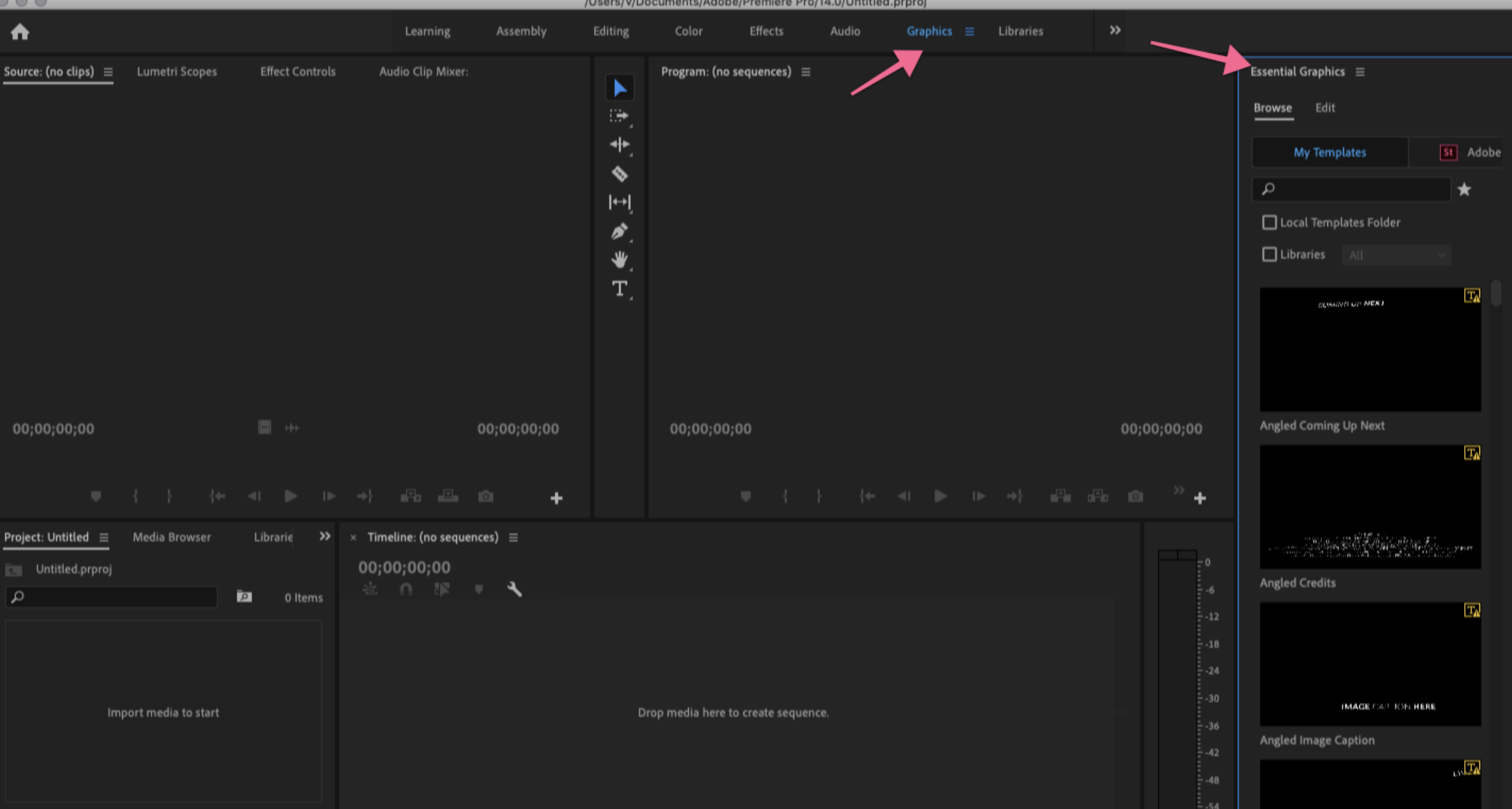
3. Find the Essential Graphics panel on the right side of the screen. If not already open, go to Window > Essential Graphics.

4. Click the small template icon Install Motion Graphics Template in the bottom right corner of the panel. 

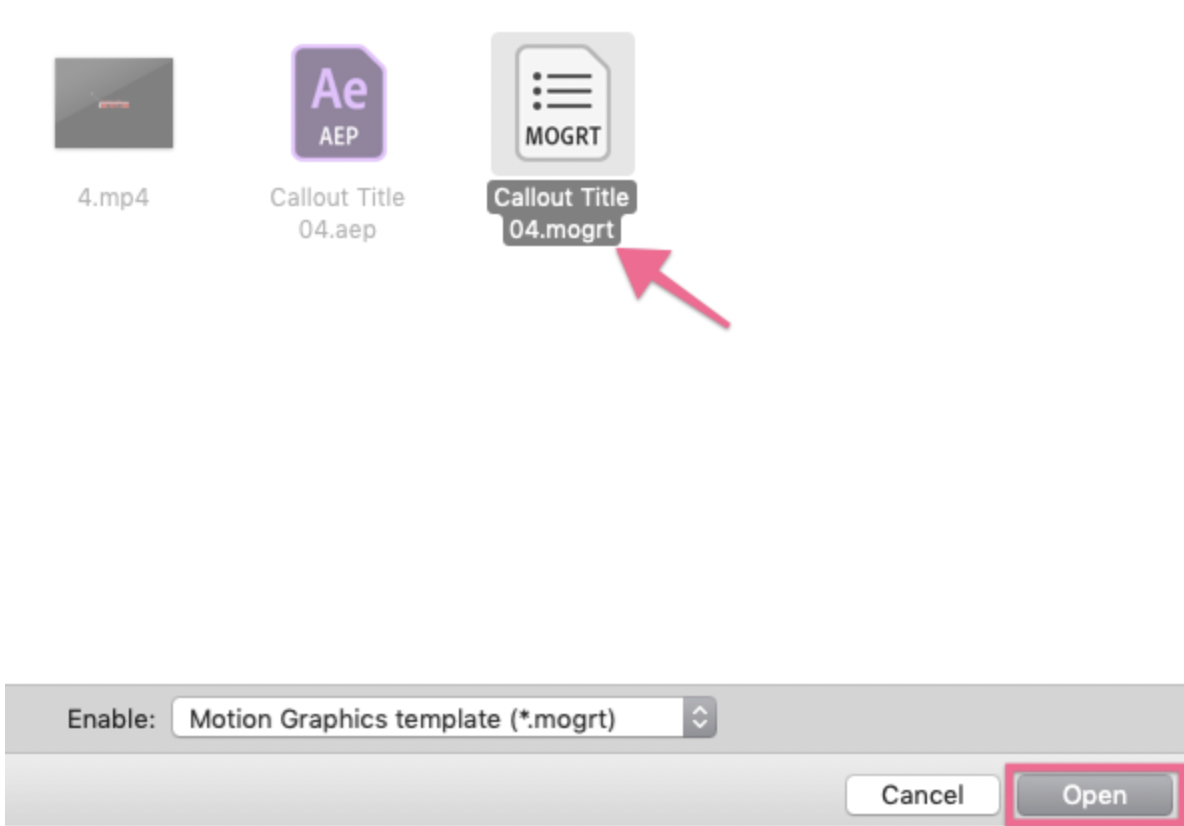
5. Browse to the location of the mogrt file, select it, and click Open.
You can download Template Premiere Pro Free/MOGRT files here!!!

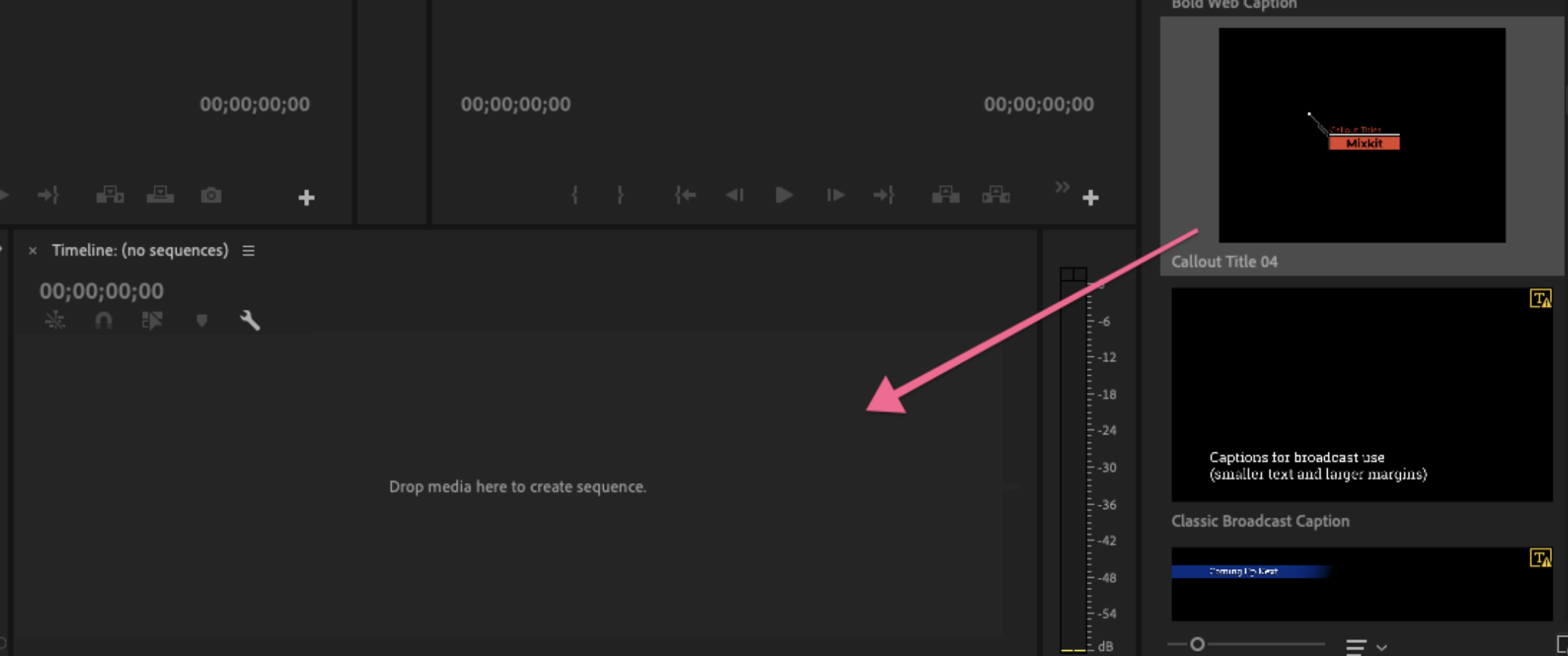
6. The animated graphic file will appear in the Essential Graphics panel under Browse.


Tip: If you need to install multiple Mogrts, place them in the Motion Graphics Templates system folder to speed up the import process. The folder is located here:

MAC: username/Library/Application Support/Adobe/Common/Motion Graphics Templates

Windows (PC): AppData/Roaming/Common/Motion Graphics Templates


How to Edit a Mogrt

1. Drag mogrt from the Essential Graphics panel to the timeline.
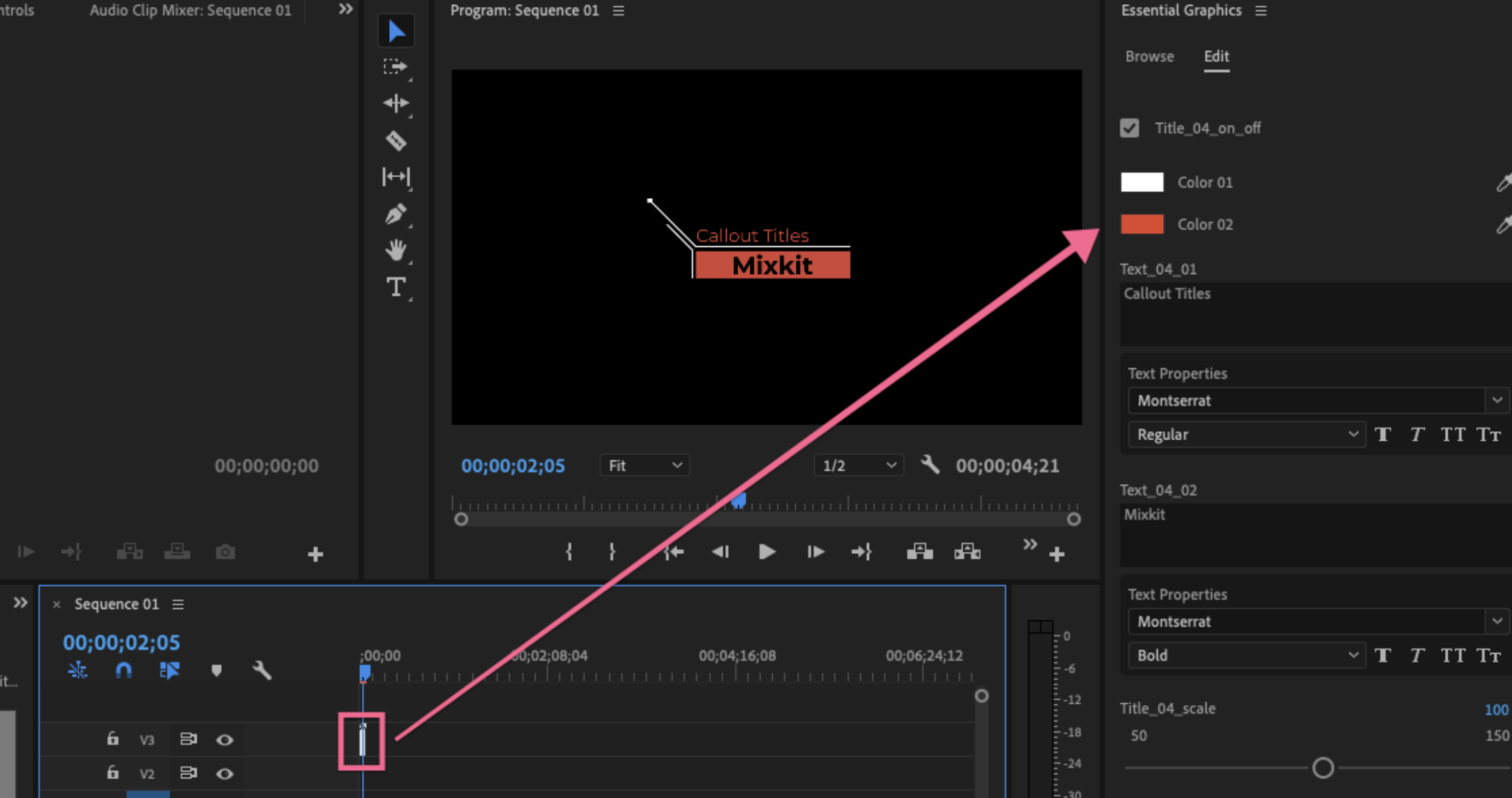
2. In the Essential Graphics panel, click the Edit tab. Here you can customize styles such as color, font, font size, and callout anchor placement.
More

30 Glitch Text Presets For Premiere Pro | Mogrt
Template Premiere Pro Free

30 Glitch Text Presets For Premiere Pro | Mogrt

Clean Titles Package | Essential Graphics
Template Premiere Pro Free

Clean Titles Package | Essential Graphics

Bolt Lower thirds
Lower Third

Bolt Lower thirds

Glitch Logo
Logo

Glitch Logo

Trendy Urban
Intro

Trendy Urban

Slice Transitions
Template Premiere Pro Free

Slice Transitions

Arcade Text Maker 8bit Glitch Titles For Premiere Pro | Mogrt
Template Premiere Pro Free

Arcade Text Maker 8bit Glitch Titles For Premiere Pro | Mogrt

Neon Titles
Template Premiere Pro Free

Neon Titles

Leave a Reply Cancel reply

Your email address will not be published. Required fields are marked *

RECOMMENDED

Gradient Edge Title
Title

Gradient Edge Title

Clean Quotes
Template Premiere Pro Free

Clean Quotes

Like And Subscribe Button
Youtube

Like And Subscribe Button

Flash FX Elements Pack 04 | Premiere Pro MOGRT
Graphics

Flash FX Elements Pack 04 | Premiere Pro MOGRT

  • DCMA
  • Privacy Policy
  • Contact Us
  • License
  • About Us

Free After Effects Templates - Opener / Logo / Video Displays / Text / Motion Graphics / Elements

No Result
View All Result
  • Intro
  • Logo
  • Title
  • Slideshow
  • Lower Third
  • Transition
  • Call out
  • Graphics
  • Youtube
    • Intro Youtube
    • Banner
    • End Screen
    • Subscribe Button Animation
  • After Effects Templates
  • Tutorials
    • Learn Premiere Pro Series
  • Tiếng Việt

Welcome Back!

Login to your account below

Forgotten Password?

Create New Account!

Fill the forms below to register

All fields are required. Log In

Retrieve your password

Please enter your username or email address to reset your password.

Log In