☕ Enjoying the content? Support me with a cup of coffee for Domain, Hosting, and Storage Maintenance cost Buy Me a Coffee
  • Login
Template Premiere Pro Free
  • Hiệu ứng mở đầu
  • Hiệu ứng chuyển cảnh
  • Đồ họa
  • Hiệu ứng chữ
  • Slide ảnh
  • Mạng xã hội
    • Hiệu ứng Youtube
    • Hiệu ứng Instagram
  • English
Template Premiere Pro Free
  • Hiệu ứng mở đầu
  • Hiệu ứng chuyển cảnh
  • Đồ họa
  • Hiệu ứng chữ
  • Slide ảnh
  • Mạng xã hội
    • Hiệu ứng Youtube
    • Hiệu ứng Instagram
  • English
No Result
View All Result
Template Premiere Pro Free
No Result
View All Result

Home | Cách sử dụng file mogrt trong Premiere

Cách sử dụng file mogrt trong Premiere

in Học premiere cơ bản
1.6k 16
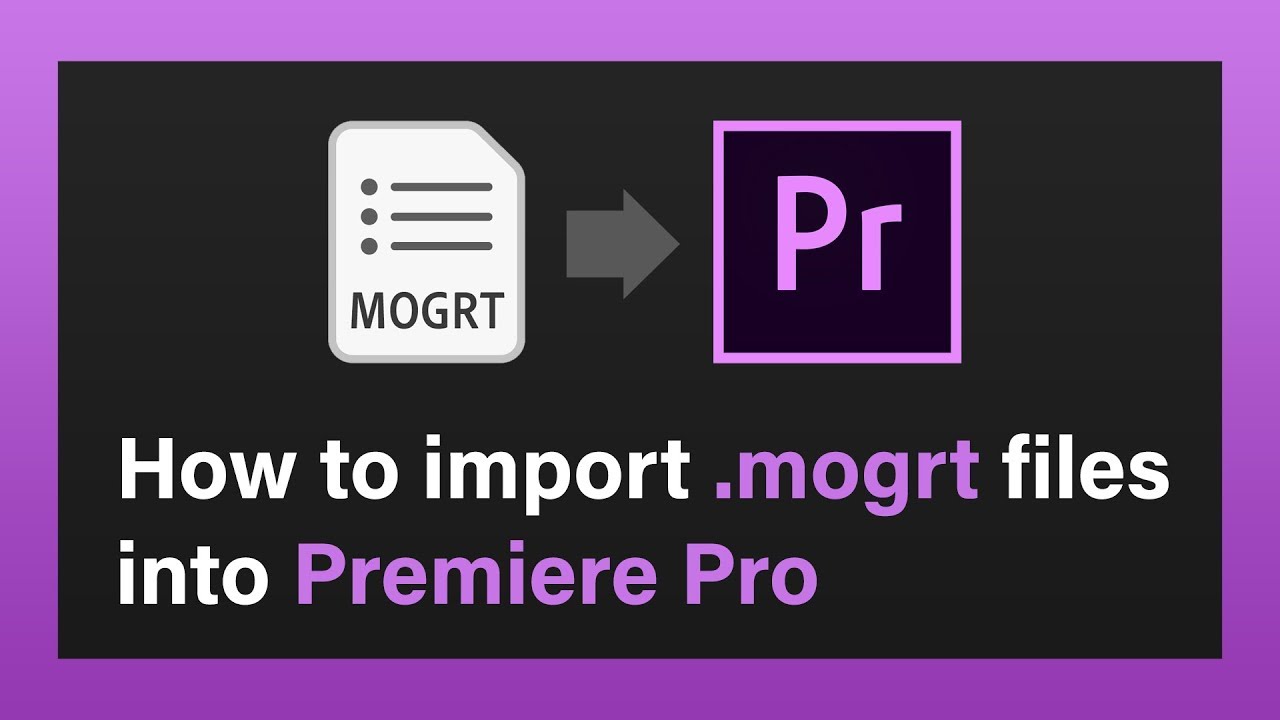
How To Use Mogrt Files In Premiere Pro
Share on FacebookShare on Twitter

Trong bài hướng dẫn này, bạn sẽ biết cách sử dụng file mogrt trong Premiere và chỉnh sửa chúng với vài cú  click chuột.

Mogrt được viết tắt từ “Motion Graphics Template” và nó là file animation được xuất từ Adobe After Effects

Cách sử dụng file mogrt

1. Mở Project Premiere Pro

2. Chọn Graphics
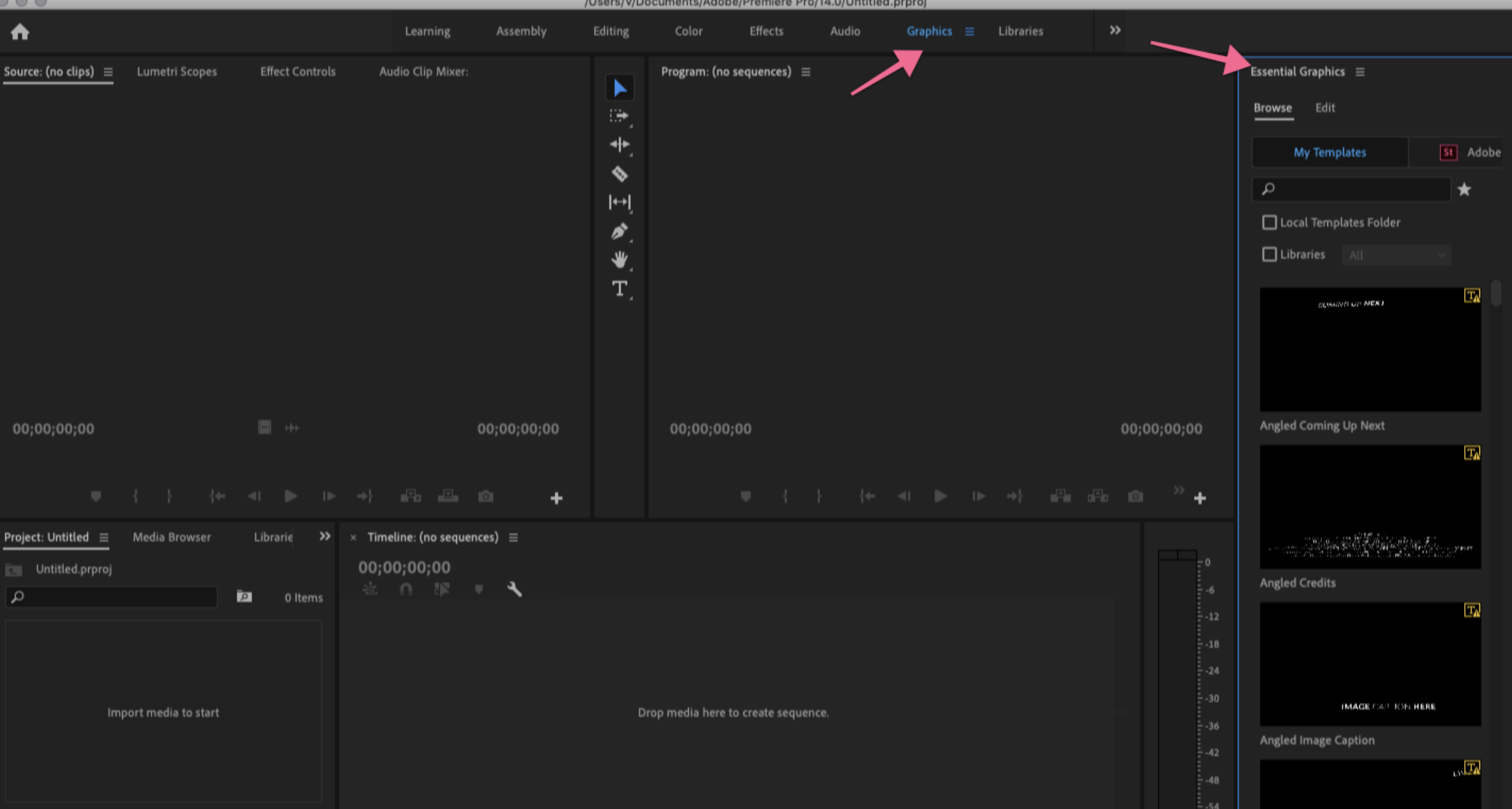
3. Tìm đến Essential Graphics panel ở bên phải của màng hình. Nếu chưa có thì vào Window > Essential Graphics.

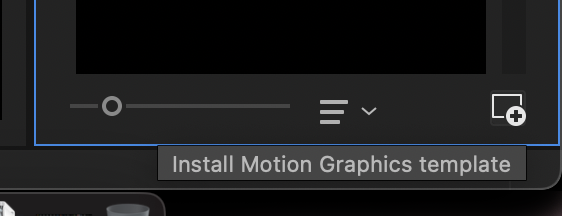
4. Chọn icon Install Motion Graphics Template ở góc phải của bản điều kiển. 
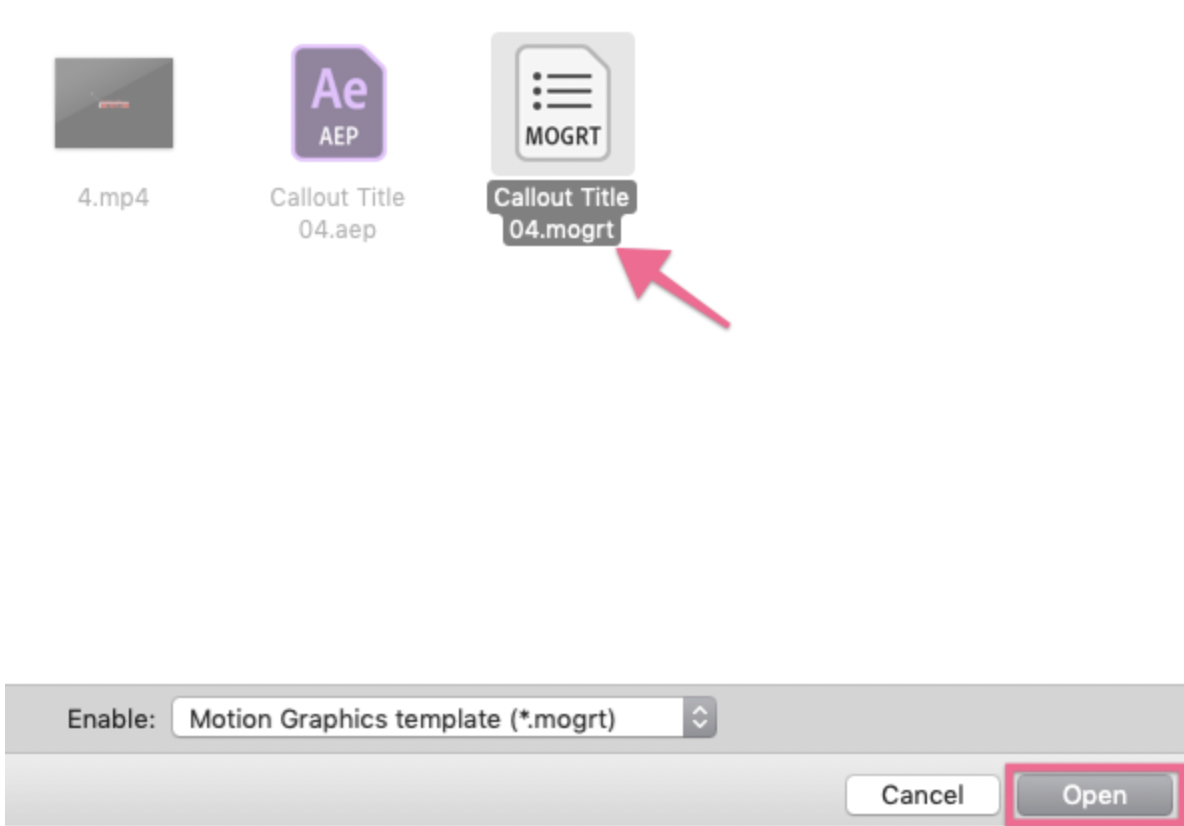
5. Tìm đến vị trí của mogrt file, chọn nó, và click Open.
Tải miễn phí Premiere Pro Free/MOGRT files ở đây!!!

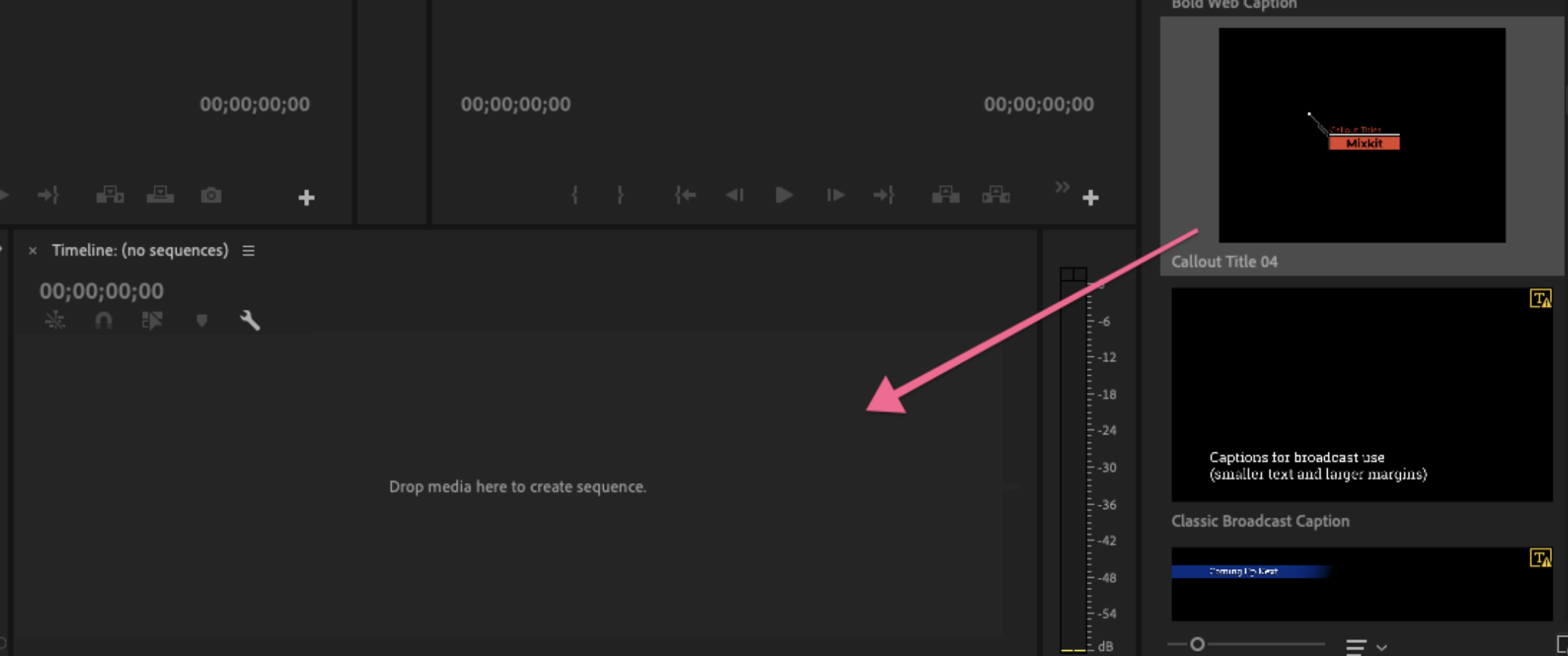
6. File đồ họa động sẽ xuất hiện trong Essential Graphics panel dưới Browse.

Mẹo: Nếu bạn cần cài đặt nhiều Mogrt, hãy đặt chúng vào thư mục Motion Graphics Templates để tăng tốc quá trình import. Thư mục nằm ở đây:

MAC: username/Library/Application Support/Adobe/Common/Motion Graphics Templates

Windows (PC): AppData/Roaming/Common/Motion Graphics Templates


7. Kéo mogrt từ Essential Graphics panel vào trong timeline.
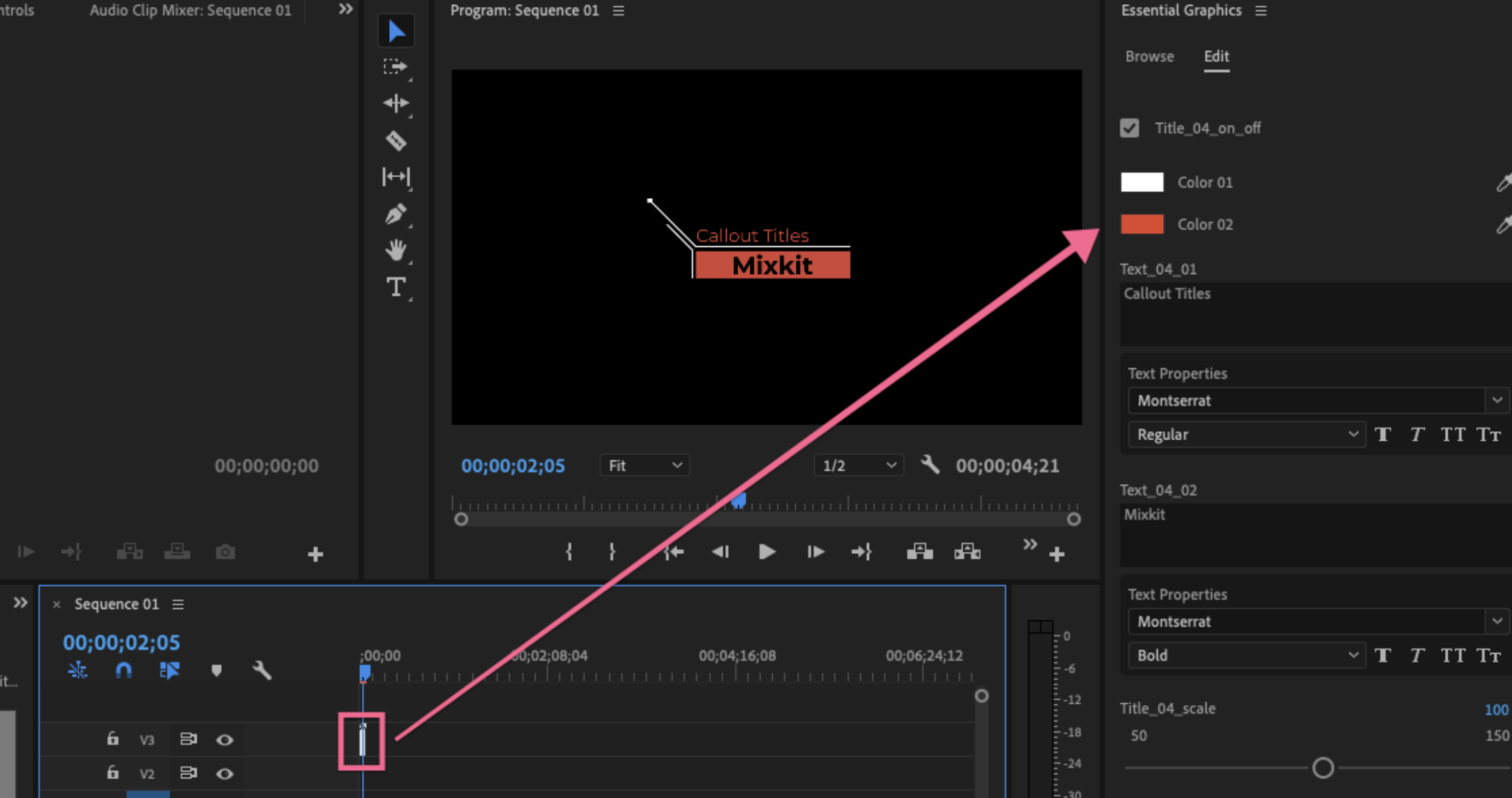
8. Trong Essential Graphics panel, click Edit tab. Tại đây, bạn có thể tùy chỉnh các kiểu như màu sắc, phông chữ, cỡ chữ và vị trí chú thích.
More

How To Use Templates In Premiere Pro
Học premiere cơ bản

Cách sử dụng template Premiere

Trả lời Hủy

Email của bạn sẽ không được hiển thị công khai. Các trường bắt buộc được đánh dấu *

RECOMMENDED

Breaking News
Hiệu ứng mở đầu video

Breaking News

Youtube EndScreen
Hiệu ứng Premiere

Youtube EndScreen

Box Titles – Self Resizing
Hiệu ứng chữ

Box Titles – Self Resizing

Hiệu ứng Premiere

Merry Christmas Original Slideshow

  • Trang chủ

Free After Effects Templates - Opener / Logo / Video Displays / Text / Motion Graphics / Elements

No Result
View All Result
  • Hiệu ứng mở đầu
  • Hiệu ứng chuyển cảnh
  • Đồ họa
  • Hiệu ứng chữ
  • Slide ảnh
  • Mạng xã hội
    • Hiệu ứng Youtube
    • Hiệu ứng Instagram
  • English

Welcome Back!

Login to your account below

Forgotten Password?

Create New Account!

Fill the forms below to register

All fields are required. Log In

Retrieve your password

Please enter your username or email address to reset your password.

Log In